Formal
Algorithm
Common
Docker
Javascript
Network
Node
Notes
c++
c++Lib
golang
Javascript
Webpack
Vite
Webassembly
MCU
Protocol
ML
Compilation
DataStructure
Algorithm
MC_MP_Programming
ResearchMethod
PrivacySecurity
EfficientAlgorithm
AdvancedAlgorithmicTech
AlgorithmGameTheory
LowCodeProject
ComputerCompose
Network
LinearMath
OperationSystem
Mathmatic
使用proxy实现一个双向绑定
日期:2019-11-08 14:48:00
更新:2019-11-08 14:48:00
标签:前端, Javascript, VUE
分类:Javascript
上一篇文章说了ES6中的Proxy,现在就来利用proxy一步步实现一个模拟vue的双向绑定。

前言
上一篇文章说了ES6 中的 Proxy,现在就来利用 proxy 一步步实现一个模拟 vue 的双向绑定。
目录
如何实现
- 在学习 vue 的时候,vue 是通过劫持数据的变化,监听到数据变化时改变前端视图。
- 那么要实现双向绑定,必然需要一个监听数据的方法。如文章标题所示,这里使用的
proxy实现数据的监听。 - 当监听到数据变化时,需要一个 watcher 响应并调用更新数据的 compile 方法去更新前端视图。
- 在 vue 中
v-model作为绑定的入口。当我们监听到前端 input 输入信息并绑定了数据项的时候,需要先告知 watcher,由 watcher 改变监听器的数据。 - 大概的双向绑定的原理为:

1.实现一个 observer(数据监听器)
利用proxy实现一个数据监听器很简单,因为proxy是监听整个对象的变化的,所以可以这样写:
class VM {
  constructor(options, elementId) {
    this.data = options.data || {}; // 监听的数据对象
    this.el = document.querySelector(elementId);
    this.init(); // 初始化
  }

  // 初始化
  init() {
    this.observer();
  }

  // 监听数据变化方法
  observer() {
    const handler = {
      get: (target, propkey) => {
        console.log(`监听到${propkey}被取啦,值为:${target[propkey]}`);
        return target[propkey];
      },
      set: (target, propkey, value) => {
        if (target[propkey] !== value) {
          console.log(`监听到${propkey}变化啦,值变为:${value}`);
        }
        return true;
      },
    };
    this.data = new Proxy(this.data, handler);
  }
}

// 测试一下
const vm = new VM(
  {
    data: {
      name: "defaultName",
      test: "defaultTest",
    },
  },
  "#app"
);

vm.data.name = "changeName"; // 监听到name变化啦,值变为:changeName
vm.data.test = "changeTest"; // 监听到test变化啦,值变为:changeTest

vm.data.name; // 监听到name被取啦,值为:changeName
vm.data.test; // 监听到test被取啦,值为:changeTest
这样,数据监听器已经基本实现了,但是现在这样只能监听到数据的变化,不能改变前端的视图信息。现在需要实现一个更改前端信息的方法,在 VM 类中添加方法changeElementData
    // 改变前端数据
    changeElementData(value) {
        this.el.innerHTML = value;
    }
在监听到数据变化时调用changeElementData改变前端数据,handler的set方法中调用方法
    set(target, propkey, value) {
        this.changeElementData(value);
        return true;
    }
在 init 中设置一个定时器更改数据
    init() {
        this.observer();

        setTimeout(() => {
            console.log('change data !!');
            this.data.name = 'hello world';
        }, 1000)
    }
已经可以看到监听到的信息改变到前端了,但是!
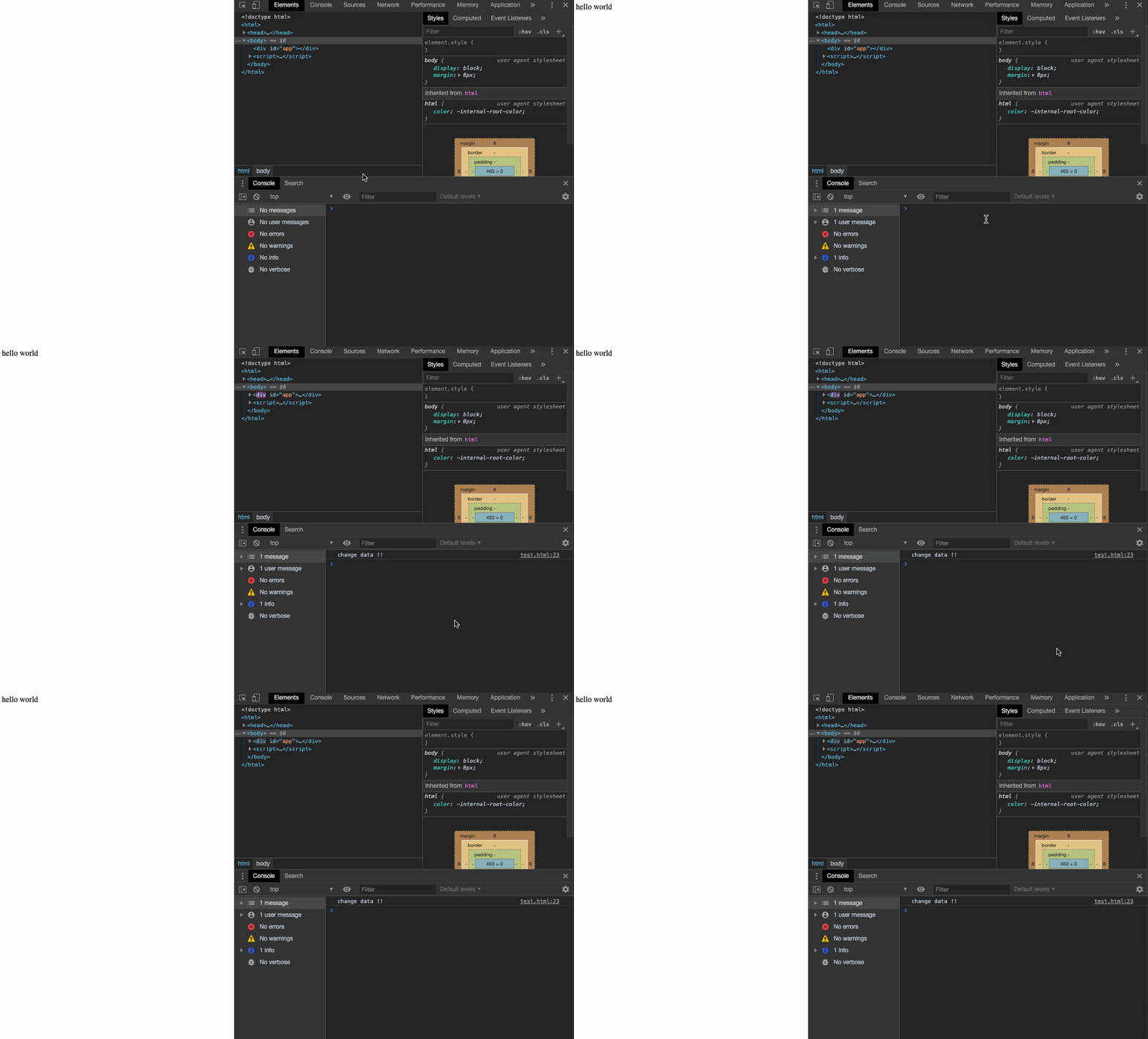
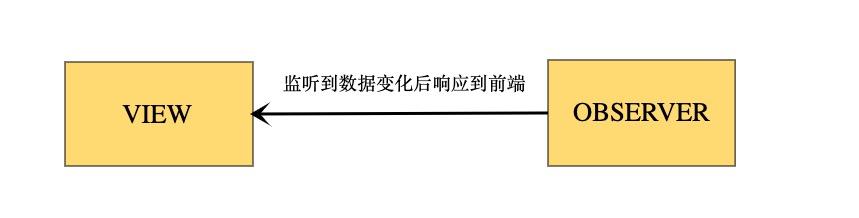
这样写死的绑定数据显然是没有意义,现在实现的逻辑大概如下面的图
2.实现数据动态更新到前端
上面实现了一个简单的数据绑定展示,但是只能绑定一个指定的节点去改变此节点的数据绑定。这样显然是不能满足的,我们知道 vue 中是以{{key}}这样的形式去绑定展示的数据的,而且 vue 中是监听指定的节点的所有子节点的。因此对象中需要在VIEW和OBSERVER之间添加一个监听层WATCHER。当监听到数据发生变化时,通过WATCHER去改变VIEW

根据这个流程,下一步我们需要做的是:
- 监听整个绑定的 element 的所有节点并匹配所有节点中的所有
{{text}}模板 - 监听到数据变化时,告知 watcher 需要数据改变了,替换前端模板
在 VM 类的构造器中添加三个参数
    constructor() {
        this.fragment = null; // 文档片段
        this.matchModuleReg = new RegExp('\{\{\s*.*?\s*\}\}', 'gi'); // 匹配所有{{}}模版
        this.nodeArr = []; // 所有带有模板的前端结点
    }
新建一个方法遍历el中的所有节点,并存放到fragment中
    /**
     *  创建一个文档片段
     */
    createDocumentFragment() {
         let documentFragment = document.createDocumentFragment();
         let child = this.el.firstChild;
         // 循环向文档片段添加节点
         while (child) {
             documentFragment.appendChild(child);
             child = this.el.firstChild;
         }
         this.fragment = documentFragment;
     }
匹配{{}}的数据并替换模版
    /**
     *  匹配模板
     *  @param { string } key 触发更新的key
     *  @param { documentElement } fragment 结点
     */
    matchElementModule(key, fragment) {
        const childNodes = fragment || this.fragment.childNodes;
        [].slice.call(childNodes).forEach((node) => {
            if (node.nodeType === 3 && this.matchModuleReg.test(node.textContent)) {
                node.defaultContent = node.textContent; // 将初始化的前端内容保存到节点的defaultContent中
                this.changeData(node);
                this.nodeArr.push(node); // 保存带有模板的结点
            }

            // 递归遍历子节点
            if(node.childNodes && node.childNodes.length) {
                this.matchElementModule(key, node.childNodes);
            }
        })
    }

    /**
     * 改变视图数据
     * @param { documentElement } node
     */
    changeData(node) {
        const matchArr = node.defaultContent.match(this.matchModuleReg); // 获取所有需要匹配的模板
        let tmpStr = node.defaultContent;
        for(const key of matchArr) {
            tmpStr = tmpStr.replace(key, this.data[key.replace(/\{\{|\}\}|\s*/g, '')] || '');
        }
        node.textContent = tmpStr;
    }
实现 watcher,数据变化是触发此 watcher 更新前端
    watcher(key) {
        for(const node of this.nodeArr) {
            this.changeData(node);
        }
    }
在init和proxy的set方法中执行新增的方法
    init() {
        this.observer();
        this.createDocumentFragment(); // 将绑定的节点都放入文档片段中
        for (const key of Object.keys(this.data)) {
            this.matchElementModule(key);
        }
        this.el.appendChild(this.fragment); // 将初始化的数据输出到前端
    }

    set: () => {
        if(target[propkey] !== value) {
            target[propkey] = value;
            this.watcher(propkey);
        }
        return true;
    }
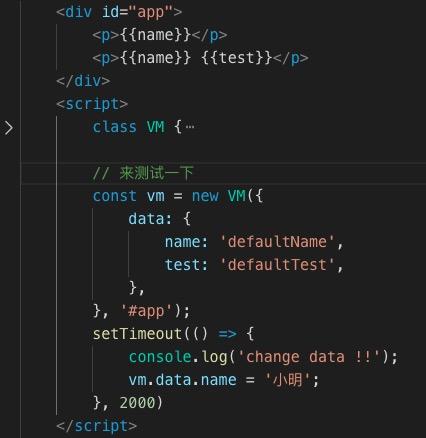
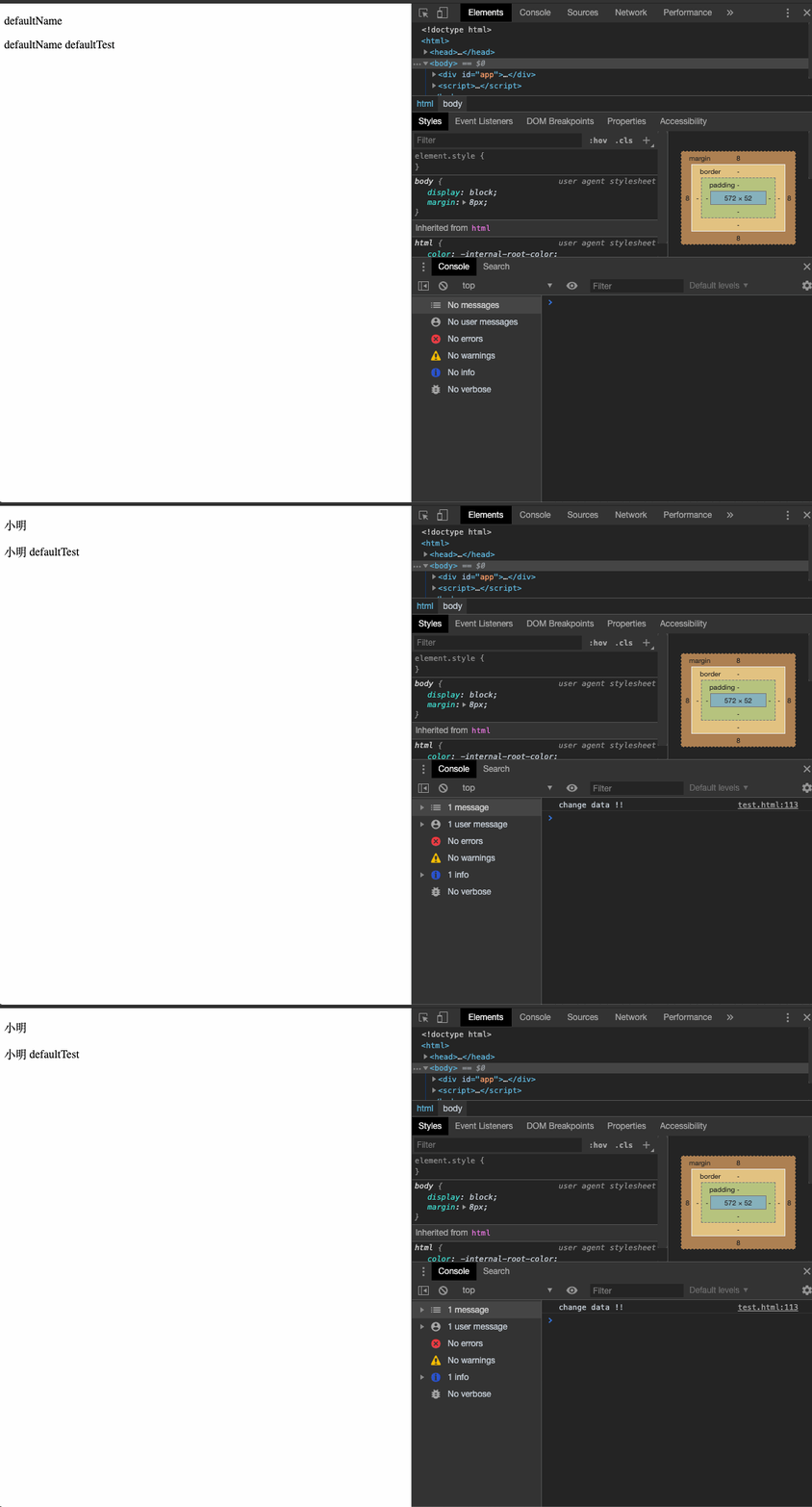
测试一下:
3.实现数据双向绑定
现在我们的程序已经可以通过改变 data 动态地改变前端的展示了,接下来需要实现的是一个类似 VUEv-model绑定 input 的方法,通过 input 输入动态地将输入的信息输出到对应的前端模板上。大概的流程图如下:

一个简单的实现流程大概如下:
- 获取所有带有 v-model 的 input 结点
- 监听输入的信息并设置到对应的 data 中
在 constructor 中添加
    constructor() {
        this.modelObj = {};
    }
在 VM 类中新增方法
    // 绑定 y-model
    bindModelData(key, node) {
        if (this.data[key]) {
            node.addEventListener('input', (e) => {
                this.data[key] = e.target.value;
            }, false);
        }
    }

    // 设置 y-model 值
    setModelData(key, node) {
        node.value = this.data[key];
    }

    // 检查y-model属性
    checkAttribute(node) {
        return node.getAttribute('y-model');
    }
在watcher中执行setModelData方法,matchElementModule中执行bindModelData方法。
修改后的matchElementModule和watcher方法如下
    matchElementModule(key, fragment) {
        const childNodes = fragment || this.fragment.childNodes;
        [].slice.call(childNodes).forEach((node) => {

            // 监听所有带有y-model的结点
            if (node.getAttribute && this.checkAttribute(node)) {
                const tmpAttribute = this.checkAttribute(node);
                if(!this.modelObj[tmpAttribute]) {
                    this.modelObj[tmpAttribute] = [];
                };
                this.modelObj[tmpAttribute].push(node);
                this.setModelData(tmpAttribute, node);
                this.bindModelData(tmpAttribute, node);
            }

            // 保存所有带有{{}}模版的结点
            if (node.nodeType === 3 && this.matchModuleReg.test(node.textContent)) {
                node.defaultContent = node.textContent; // 将初始化的前端内容保存到节点的defaultContent中
                this.changeData(node);
                this.nodeArr.push(node); // 保存带有模板的结点
            }

            // 递归遍历子节点
            if(node.childNodes && node.childNodes.length) {
                this.matchElementModule(key, node.childNodes);
            }
        })
    }

    watcher(key) {
        if (this.modelObj[key]) {
            this.modelObj[key].forEach(node => {
                this.setModelData(key, node);
            })
        }
        for(const node of this.nodeArr) {
            this.changeData(node);
        }
    }
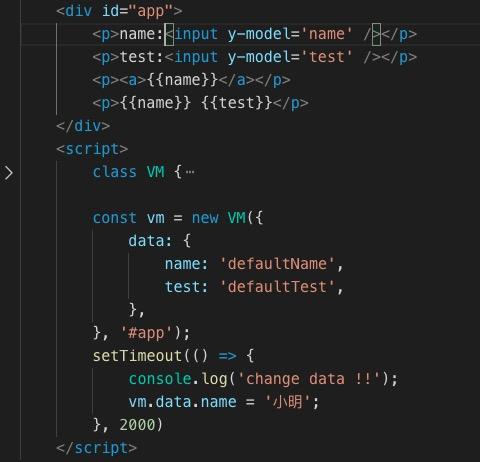
来看一下是否已经成功绑定了,写一下测试代码:
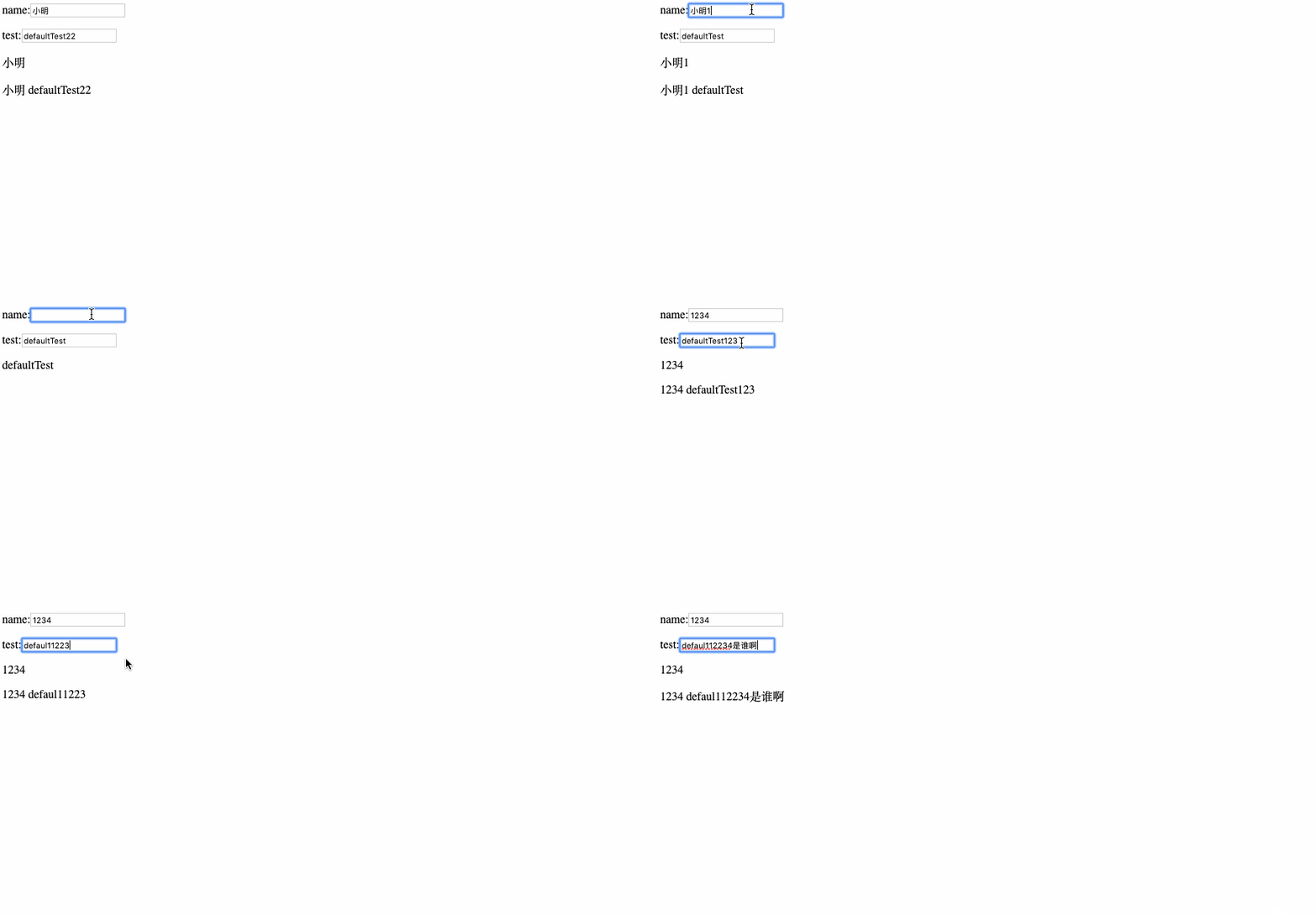
成功!!
最终的代码如下:
class VM {
  constructor(options, elementId) {
    this.data = options.data || {}; // 监听的数据对象
    this.el = document.querySelector(elementId);
    this.fragment = null; // 文档片段
    this.matchModuleReg = new RegExp("{{s*.*?s*}}", "gi"); // 匹配所有{{}}模版
    this.nodeArr = []; // 所有带有模板的前端结点
    this.modelObj = {}; // 绑定y-model的对象
    this.init(); // 初始化
  }

  // 初始化
  init() {
    this.observer();
    this.createDocumentFragment();
    for (const key of Object.keys(this.data)) {
      this.matchElementModule(key);
    }
    this.el.appendChild(this.fragment);
  }

  // 监听数据变化方法
  observer() {
    const handler = {
      get: (target, propkey) => {
        return target[propkey];
      },
      set: (target, propkey, value) => {
        if (target[propkey] !== value) {
          target[propkey] = value;
          this.watcher(propkey);
        }
        return true;
      },
    };
    this.data = new Proxy(this.data, handler);
  }

  /**
   *  创建一个文档片段
   */
  createDocumentFragment() {
    let documentFragment = document.createDocumentFragment();
    let child = this.el.firstChild;
    // 循环向文档片段添加节点
    while (child) {
      documentFragment.appendChild(child);

      child = this.el.firstChild;
    }
    this.fragment = documentFragment;
  }

  /**
   *  匹配模板
   *  @param { string } key 触发更新的key
   *  @param { documentElement } fragment 结点
   */
  matchElementModule(key, fragment) {
    const childNodes = fragment || this.fragment.childNodes;
    [].slice.call(childNodes).forEach((node) => {
      // 监听所有带有y-model的结点
      if (node.getAttribute && this.checkAttribute(node)) {
        const tmpAttribute = this.checkAttribute(node);
        if (!this.modelObj[tmpAttribute]) {
          this.modelObj[tmpAttribute] = [];
        }
        this.modelObj[tmpAttribute].push(node);
        this.setModelData(tmpAttribute, node);
        this.bindModelData(tmpAttribute, node);
      }

      // 保存所有带有{{}}模版的结点
      if (node.nodeType === 3 && this.matchModuleReg.test(node.textContent)) {
        node.defaultContent = node.textContent; // 将初始化的前端内容保存到节点的defaultContent中
        this.changeData(node);
        this.nodeArr.push(node); // 保存带有模板的结点
      }

      // 递归遍历子节点
      if (node.childNodes && node.childNodes.length) {
        this.matchElementModule(key, node.childNodes);
      }
    });
  }

  /**
   * 改变视图数据
   * @param { documentElement } node
   */
  changeData(node) {
    const matchArr = node.defaultContent.match(this.matchModuleReg); // 获取所有需要匹配的模板
    let tmpStr = node.defaultContent;
    for (const key of matchArr) {
      tmpStr = tmpStr.replace(
        key,
        this.data[key.replace(/\{\{|\}\}|\s*/g, "")] || ""
      );
    }
    node.textContent = tmpStr;
  }

  watcher(key) {
    if (this.modelObj[key]) {
      this.modelObj[key].forEach((node) => {
        this.setModelData(key, node);
      });
    }
    for (const node of this.nodeArr) {
      this.changeData(node);
    }
  }

  // 绑定 y-model
  bindModelData(key, node) {
    if (this.data[key]) {
      node.addEventListener(
        "input",
        (e) => {
          this.data[key] = e.target.value;
        },
        false
      );
    }
  }

  // 设置 y-model 值
  setModelData(key, node) {
    node.value = this.data[key];
  }

  // 检查y-model属性
  checkAttribute(node) {
    return node.getAttribute("y-model");
  }
}
最后
本节我们使用Proxy,从监听器开始,到观察者一步步实现了一个模仿 VUE 的双向绑定,代码中也许会有很多写的不严谨的地方,如发现错误麻烦大佬们指出~~