Catalog
Algorithm
C++
Common
Docker
Javascript
Network
Node
日期:2026-02-24 17:30:00
更新:2026-02-24 17:30:00
标签:docker
分类:docker
上一篇介绍了docker的原理与基本用法,本文继续深入了解docker进阶用法。
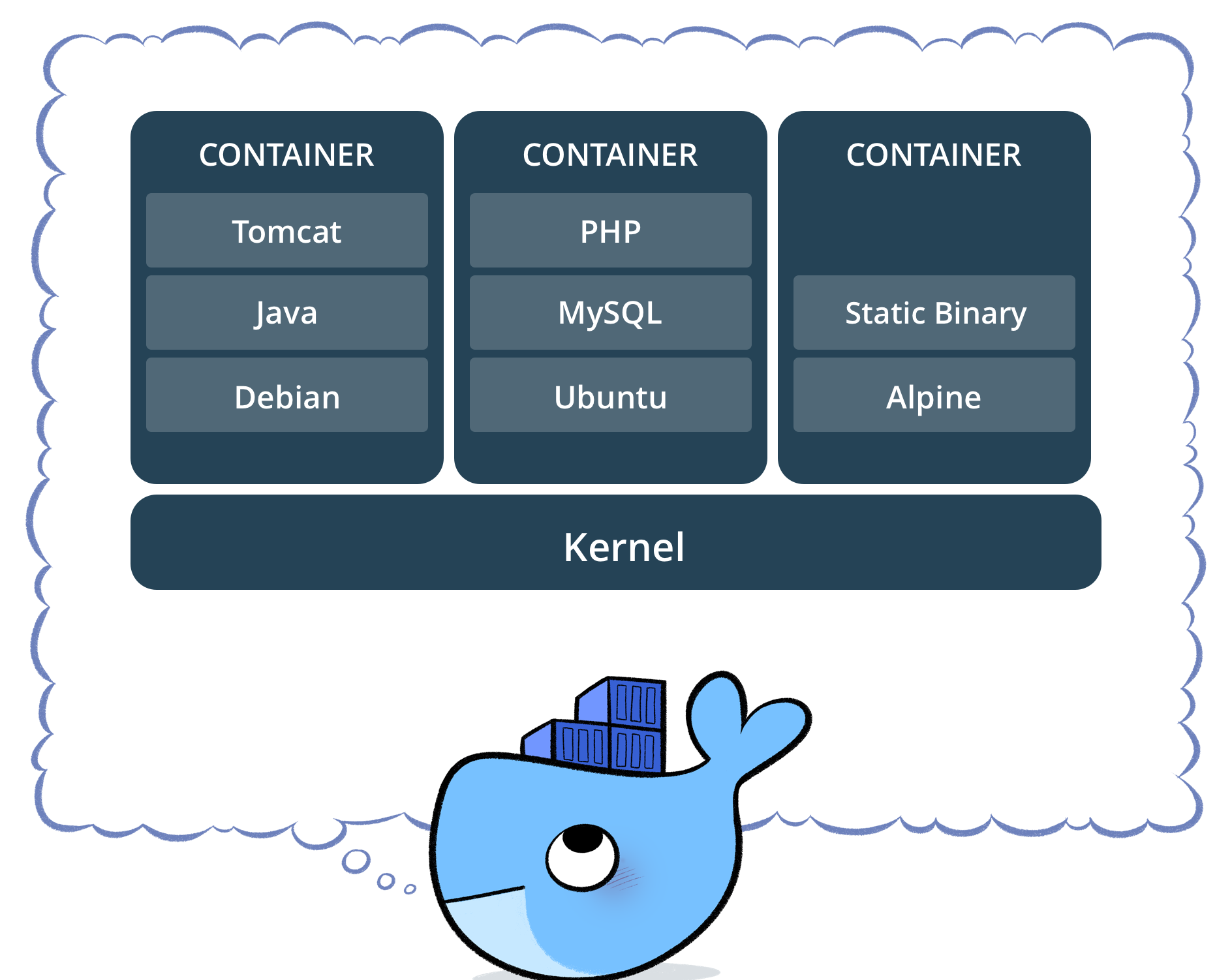
docker run 命令用于运行新的容器。
| Option | Description |
|---|---|
| –add-host | 添加自定义host-to-IP映射 (host:ip) |
| –annotation | 向容器添加注释 |
| -a, --attach | 链接到 STDIN, STDOUT or STDERR |
| –blkio-weight | Block IO (relative weight), between 10 and 1000, or 0 to disable (default 0) |
| –blkio-weight-device | Block IO weight (relative device weight) |
| –cap-add | 添加Linux功能 |
| –cap-drop | 删除Linux功能 |
| –cgroup-parent | Optional parent cgroup for the container |
| –cgroupns | |
| –cidfile | 写容器ID到文件中 |
| –cpu-count | CPU数量 (Windows only) |
| –cpu-percent | CPU 百分比 (Windows only) |
| –cpu-period | 限制CPU CFS (Completely Fair Scheduler) 周期 |
| –cpu-quota | 限制CPU CFS (Completely Fair Scheduler) 额度 |
| –cpu-rt-period | 限制CPU实时周期 (microseconds) |
| –cpu-rt-runtime | 限制CPU实时运行时间 (microseconds) |
| -c --cpu-shares | CPU 共享 (relative weight) |
| –cpus | CPU的数量 |
| –cpuset-cpus | CPUs in which to allow execution (0-3, 0,1) |
| –cpuset-mems | MEMs in which to allow execution (0-3, 0,1) |
| -d, --detach | 在后台运行容器并打印容器ID |
| –detach-keys | Override the key sequence for detaching a container |
| –device | 添加一个host设备到容器中 |
| –device-cgroup-rule | Add a rule to the cgroup allowed devices list |
| –device-read-bps | Limit read rate (bytes per second) from a device |
| –device-read-iops | Limit read rate (IO per second) from a device |
| –device-write-bps | Limit write rate (bytes per second) to a device |
| –device-write-iops | Limit write rate (IO per second) to a device |
| –dns | 设置自定义DNS服务 |
| –dns-option | 设置DNS选项 |
| –dns-search | 设置自定义DNS搜索域名 |
| –domainname | 自定义NIS域名名字 |
| –entrypoint | 重写镜像默认的ENTRYPOINT |
| -e, --env | 设置环境变量 |
| –env-file | 读取文件中的环境变量 |
| –expose | 暴露端口 |
| –gpus | GPU 设备添加到容器 (‘all’ 添加所有GPU) |
| –group-add | 添加额外的组 |
| –health-cmd | 命令运行检查健康状况 |
| –health-interval | 运行检查的时间 |
| –health-retries | 需要连续多次失败才能报告不健康情况 |
| –health-start-interval | 启动期间两次检查之间的时间间隔(毫秒 | 秒 | 分 | 小时)(默认为 0 秒) |
| –health-start-period | 容器初始化开始前的等待时间(毫秒|秒|分|小时)(默认为 0 秒) |
| –health-timeout | 一次检查允许的最大时间 |
| –help | |
| -h, --hostname | 容器hostname |
| –init | 在容器内运行初始化操作,该操作会转发信号并回收进程。 |
| -i, --interactive | 保持 STDIN 打开尽管没有链接 |
| –io-maxbandwidth | Maximum IO bandwidth limit for the system drive (Windows only) |
| –io-maxiops | Maximum IOps limit for the system drive (Windows only) |
| –ip | IPv4 地址 |
| –ip6 | IPv6 地址 |
| –ipc | 使用IPC 模式 |
| –isolation | 容器隔离技术 |
| -l, -label | 在容器中设置元数据 |
| –label-file | 读取以行分隔的标签文件 |
| –link | 添加链接到其他容器 |
| –link-local-ip | 容器IPv4/IPv6 链接本地地址 |
| –log-driver | 容器的日志驱动程序 |
| –log-opt | 日志驱动选项 |
| –mac-address | 容器的MAC地址 |
| -m, --memory | 内存限制 |
| –memory-reservation | 内存软限制 |
| –memory-swap | Swap limit equal to memory plus swap: ‘-1’ to enable unlimited swap |
| –memory-swappiness | 调整容器内存交换优先级(0 到 100) |
| –mount | 链接文件系统到容器 |
| –name | 给容器分配名字 |
| –network | 链接容器到网络 |
| –network-alias | 给容器添加网络范围别名 |
| –no-healthcheck | 禁止任何容器特殊的HEALTHCHECK |
| –oom-kill-disable | 禁止oom killer |
| –oom-score-adj | 调整OOM首选项(-1000 到 1000) |
| –pid | PID 命名空间 |
| –pids-limit | 调整容器 pid限制 (-1 为无限制) |
| –platform | 设置平台 如果server是多平台可用的 |
| –privileged | 赋予此容器扩展权限 |
| -p, --publish | 发布一个容器端口到host |
| -P, --publish-all | 发布所有暴露端口到随机端口 |
| –pull | 拉取镜像在运行之前(always, missing, never)(default: missing) |
| -q, --quiet | Suppress the pull output |
| –read-only | root文件系统挂在为只读 |
| –restart | 设置重启策略当容器推出时 |
| –rm | 当退出时自动删除容器和相关的卷 |
| –runtime | Runtime to use for this container |
| –security-opt | 安全选项 |
| –shm-size | /dev/shm 的size |
| –sig-proxy | Proxy received signals to the process |
| –stop-signal | 设置暂停容器的信号 |
| –storage-opt | 给容器保存驱动设置 |
| –sysctl | sysctl设置 |
| –tmpfs | 挂在一个tmpfs文件夹 |
| -t, --tty | 分配一个伪终端 |
| –ulimit | Ulimit选项 |
| –use-api-socket | Bind mount Docker API socket and required auth |
| -u, --user | Username or UID (format: <name | uid>[:<group | gid>]) |
| –userns | 用户命名空间 |
| -v, --volume | 绑定挂载一个卷 |
| –volume-driver | 选择容器的卷驱动 |
| –volumes-from | 从其他容器中挂载卷 |
| -w, --workdir | 容器内工作文件夹 |
举例
console.log("Hello World");, 执行后删除,并将打印的数据保存到test.txt. docker run --rm node node -e "console.log('hello world')" >> ./test.txt
test.txt. docker run --rm -e VAR1=Hello -e VAR2=World ubuntu env | grep VAR >> ./test.txt
/temp_fs中,并查看当前目录的test.txt文件,读取的信息保存到./test1.txt中 docker run --rm --volume ./:/temp_fs ubuntu cat /temp_fs/README.md >> ./test1.txt
更多例子查看 docker官方文档
docker build 命令可以用于构建自己想要的镜像
| Option | Default | 描述 |
|---|---|---|
| –add-host | 添加自定义主机到 IP 的映射(格式:host:ip) | |
| –allow | 允许额外的特权权限(例如 network.host、security.insecure、device) | |
| –annotation | 给镜像添加注解 | |
| –attest | 认证参数(格式:type=sbom,generator=image) | |
| –build-arg | 设置构建时变量 | |
| –build-context | 额外的构建上下文(例如 name=path) | |
| –cache-from | 外部缓存源(例如 user/app:cache, type=local,src=path/to/dir) | |
| –cache-to | 缓存导出目的地(例如 user/app:cache, type=local,dest=path/to/dir) | |
| –call build | 设置构建评估方法(check、outline、targets) | |
| –cgroup-parent | 设置 RUN 指令运行期间的父级 cgroup | |
| –check | –call=check 的简写 | |
| -f, --file | Dockerfile 文件名(默认:PATH/Dockerfile) | |
| –iidfile | 将镜像 ID 写入文件 | |
| –label | 设置镜像的元数据 | |
| –load | –output=type=docker 的简写 | |
| –metadata-file | 将构建结果元数据写入文件 | |
| –network | 设置 RUN 指令运行期间的网络模式 | |
| –no-cache | 构建镜像时不使用缓存 | |
| –no-cache-filter | 不缓存指定阶段 | |
| -o, --output | 输出目标(格式:type=local,dest=path) | |
| –platform | 设置目标平台 | |
| –policy | 策略配置 | |
| –progress auto | 设置进度输出类型(auto、none、plain、quiet、rawjson、tty)。plain 显示容器输出 | |
| –provenance | –attest=type=provenance 的简写 | |
| –pull | 总是尝试拉取所有引用的镜像 | |
| –push | –output=type=registry,unpack=false 的简写 | |
| -q, --quiet | 静默模式构建,只在成功时打印镜像 ID | |
| –sbom | –attest=type=sbom 的简写 | |
| –secret | 构建时使用的密钥(格式:id=mysecret[,src=/local/secret]) | |
| –shm-size | 构建容器共享内存大小 | |
| –ssh | 暴露给构建的 SSH 代理或密钥(格式:default | |
|
| -t, --tag | 镜像标识(格式:[registry/]repository[:tag]) | |
| –target | 设置要构建的目标阶段 | |
| –ulimit | Ulimit 选项 |
docker可以通过读取Dockerfile构建文件自动地构建镜像。 一个Dockerfile是一个包含所有命令的文本文件,用户可以在命令行中调用来生成镜像。
| 指令 | 描述 |
|---|---|
| ADD | 添加本地或远程的文件和目录 |
| ARG | 使用构建时变量 |
| CMD | 指定默认命令 |
| COPY | 复制文件和目录 |
| ENTRYPOINT | 指定默认可执行程序 |
| ENV | 设置环境变量 |
| EXPOSE | 描述应用程序监听的端口 |
| FROM | 从基础镜像创建新的构建阶段 |
| HEALTHCHECK | 检查容器启动时的健康状况 |
| LABEL | 为镜像添加元数据 |
| MAINTAINER | 指定镜像的作者 |
| ONBUILD | 指定镜像被用于构建时的指令 |
| RUN | 执行构建命令 |
| SHELL | 设置镜像的默认 shell |
| STOPSIGNAL | 指定退出容器时的系统调用信号 |
| USER | 设置用户和组 ID |
| VOLUME | 创建卷挂载 |
| WORKDIR | 更改工作目录 |